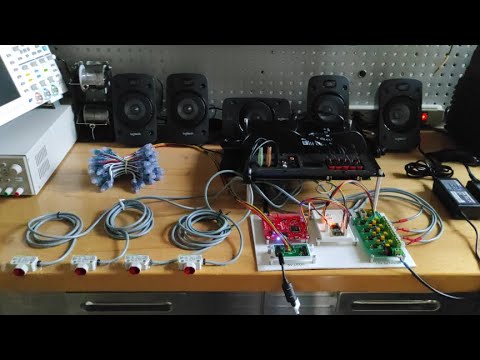
Logitech-Z906
Logitech Z906 Control Library
This 5.1 speaker system comes with a 1000 Watts Peak/500 Watts RMS power for a rich THX Certified surround sound. With the ability to decode Dolby Digital and DTS encoded soundtracks.

The Logitech Z906 is who has six class D amplifiers included, but you cannot use them if you do not have the console connected.

hardware
The main component is a Renesas D2-71583 intelligent digital amplifier and sound processor.

The system requires external firmware to boot the DSP, the EN25F10A serial flash memory has been chosen.

This is the dump data.
DE-15 Console Connector
The communication between the Digital Audio Processor and the console is done through TTL serial communication at 3.3V.
The following table illustrates the pinout.
| Pin | Description | Pin | Description |
|---|---|---|---|
| 6 | GND | 12 | TX |
| 13 | RX | 15 | Console Enable |
D2-71583 NO is 5V tolerant. If you have Arduino UNO, MEGA, etc use a Logic Level Converter.
| Serial settings | |
|---|---|
| Baud rate | 57600 |
| Data | 8 bit |
| Parity | Odd |
| Stop | 1 bit |
Here is the DE-15 male as viewed from the front of the Main Board.

Enable Console
Connect pin 15 to GND.
Basic Usage
Instantiate a Z906 object and attach to Serial1, you may create multiple Z906 objects.
Z906 LOGI(Serial1)
cmd method uses single or double argument, check next tables.
LOGI.cmd(arg_a)
LOGI.cmd(arg_a, arg_b)
Examples :
LOGI.cmd(MUTE_ON)         // Enable Mute
LOGI.cmd(MAIN_LEVEL, 15)  // Set Main Level to 15
Request data
LOGI.request(MAIN_LEVEL)    // return current Main Level
LOGI.request(READ_LEVEL)    // return current Read Level
LOGI.request(CENTER_LEVEL)  // return current Center Level
LOGI.request(SUB_LEVEL)     // return current Subwoofer Level

LOGI.request(STATUS_STBY)   // return stand-by status
LOGI.request(VERSION)       // return firmware version
Single argument command
| argument | description |
|---|---|
| SELECT_INPUT_1 | Enable TRS 5.1 input |
| SELECT_INPUT_2 | Enable RCA 2.0 input |
| SELECT_INPUT_3 | Enable Optical 1 input |
| SELECT_INPUT_4 | Enable Optical 2 input |
| SELECT_INPUT_5 | Enable Coaxial input |
| SELECT_INPUT_AUX | Enable TRS 2.0 (console) input |
| LEVEL_MAIN_UP | Increase Main Level by one unit |
| LEVEL_MAIN_DOWN | Decrease Main Level by one unit |
| LEVEL_SUB_UP | Increase Subwoofer Level by one unit |
| LEVEL_SUB_DOWN | Decrease Subwoofer Level by one unit |
| LEVEL_CENTER_UP | Increase Center Level by one unit |
| LEVEL_CENTER_DOWN | Decrease Subwoofer Level by one unit |
| LEVEL_REAR_UP | Increase Rear Level by one unit |
| LEVEL_DOWN_UP | Decrease Rear Level by one unit |
| PWM_OFF | PWM Generator OFF |
| PWM_ON | PWM Generator ON |
| SELECT_EFFECT_3D | Enable 3D Effect in current input |
| SELECT_EFFECT_41 | Enable 4.1 Effect in current input |
| SELECT_EFFECT_21 | Enable 2.1 Effect in current input |
| SELECT_EFFECT_NO | Disable all Effects in current input |
| BLOCK_INPUTS | Disable signal input |
| NO_BLOCK_INPUTS | Enable signal input |
| RESET_PWR_UP_TIME | Reset Power-Up Timer |
| EEPROM_SAVE | Save current settings to EEPROM |
| MUTE_ON | Enable Mute |
| MUTE_OFF | Disable Mute |
Double argument command
| argument a | argument b | description |
|---|---|---|
| MAIN_LEVEL | 0-255 | Set Main Level to argument b value |
| READ_LEVEL | 0-255 | Set Read Level to argument b value |
| CENTER_LEVEL | 0-255 | Set Center Level to argument b value |
| SUB_LEVEL | 0-255 | Set Sub Level to argument b value |
EEPROM
Use the EEPROM_SAVE function with caution. Each EEPROM has a limited number of write cycles (~100,000) per address. If you write excessively to the EEPROM, you will reduce the lifespan.
Get Temperature
return the value of main temperature sensor.
LOGI.main_sensor()
Basic Example
#include <Z906.h>

// Instantiate a Z906 object and Attach to Serial1
Z906 LOGI(Serial1);

void setup(){

Serial.begin(9600);
while(!Serial);

while(LOGI.cmd(VERSION) == 0)
{
  Serial.println("Waiting Z906 Power-Up");
  delay(1000);
}

Serial.println("Z906 Version : " + (String) LOGI.request(VERSION));

// Power ON PWM Generator
LOGI.cmd(PWM_ON);

// Select RCA 2.0 Input
LOGI.cmd(SELECT_INPUT_2);

// Disable Mute
LOGI.cmd(MUTE_OFF);

// Set Main Level to 15;
LOGI.cmd(MAIN_LEVEL, 15);
}

void loop(){

Serial.println("Temperature main sensor: " + (String) LOGI.main_sensor());

delay(1000);
}
YouTube